Navan
Itemization magic
Manually itemizing a receipt was tedious and error prone for employees, and their mistakes landed on admins and accountants downstream. I pushed to use AI in a way the company had not planned: an agent that does the tedious, high error rate work in the background, leaving the employee to just review and submit. Admins and accountants got cleaner data, with 12% fewer ERP edits after submission.
After launch, month-end flags on itemized transactions dropped 39%.
Context
The problem
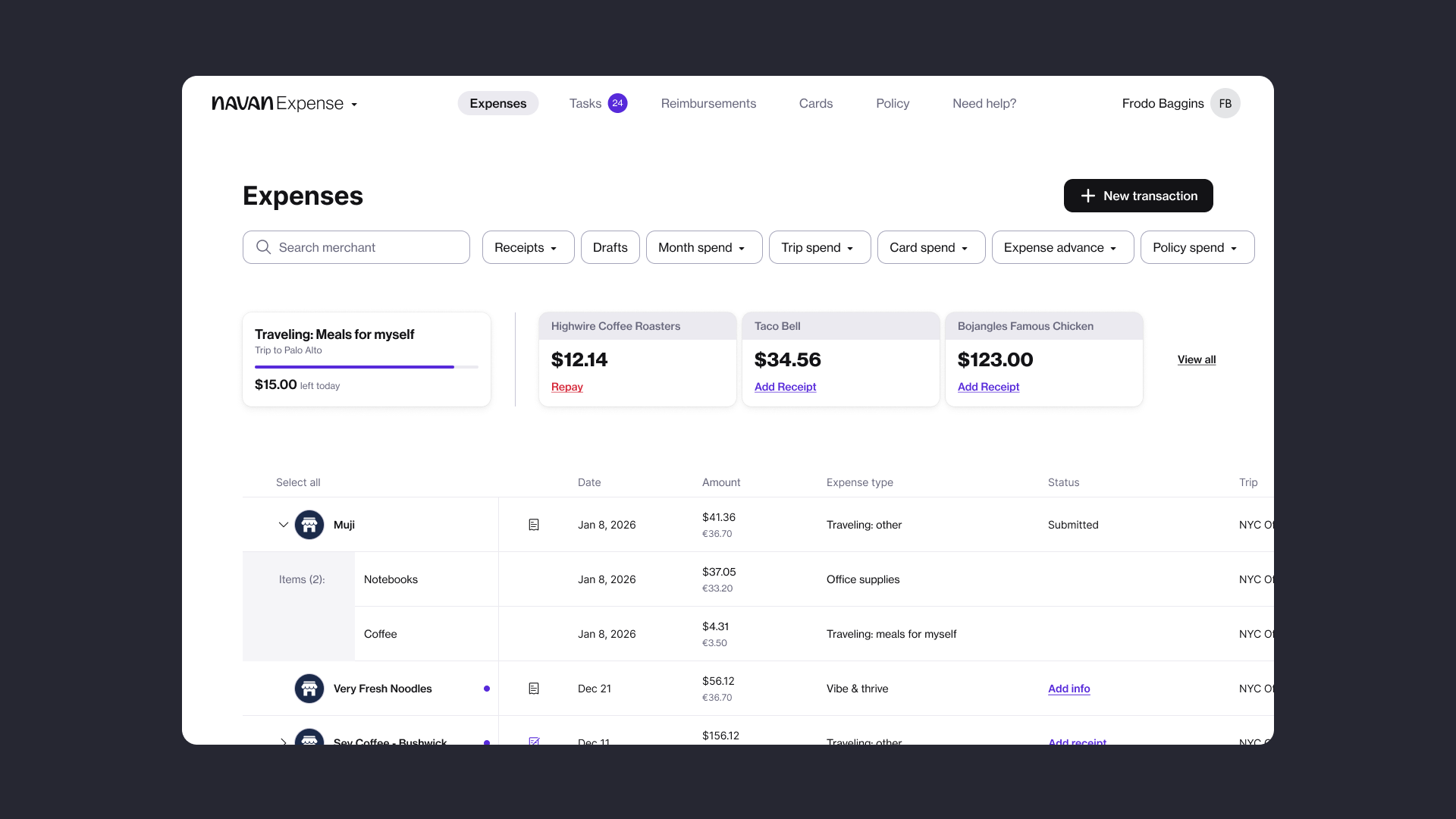
Navan used OCR (character scanning) to scan receipts, which got the details wrong more than 7% of the time. Employees then had to itemize the receipt by hand, at times even doing math for different tax rates. It took the average person over 14 minutes to enter 3 line items by hand.
Admins then had to find and flag issues manually, which was arduous enough that some companies had to hire more admins for this task. Downstream that meant inaccurate ledgers, hidden policy violations, and a delayed month-end close. For Navan it showed up as lost enterprise sales, client churn, and overloaded support.
Decision 1
Push for an agent that does the menial, error prone work
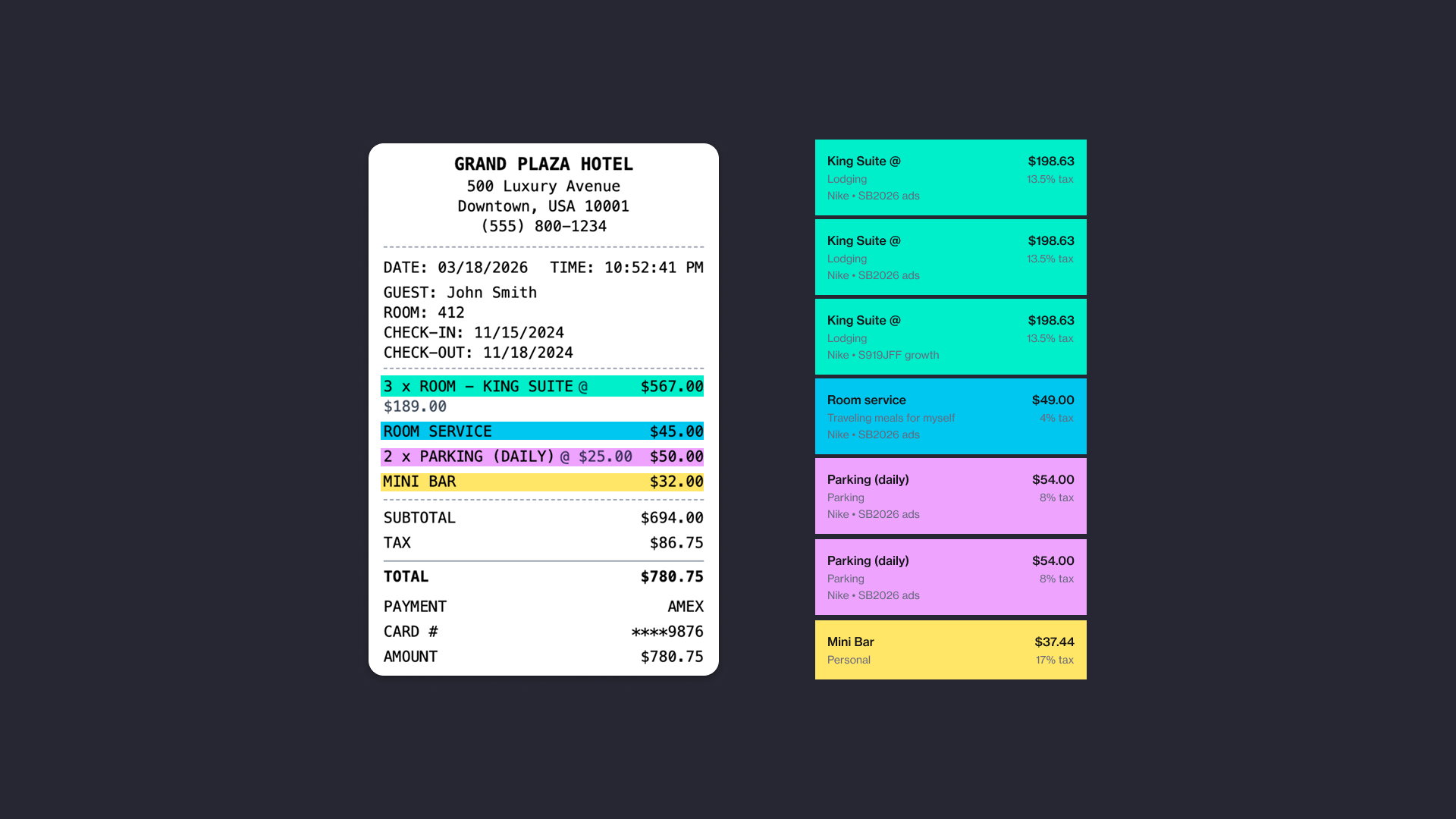
I pushed to build an itemization agent that works in the background: it scans the receipt, splits it into line items, and puts each one in the correct policy bucket with the correct tax rate, so the employee’s job shrinks from building an itemization to checking one.
Decision 2
Catch problems at submission and show what’s unresolved
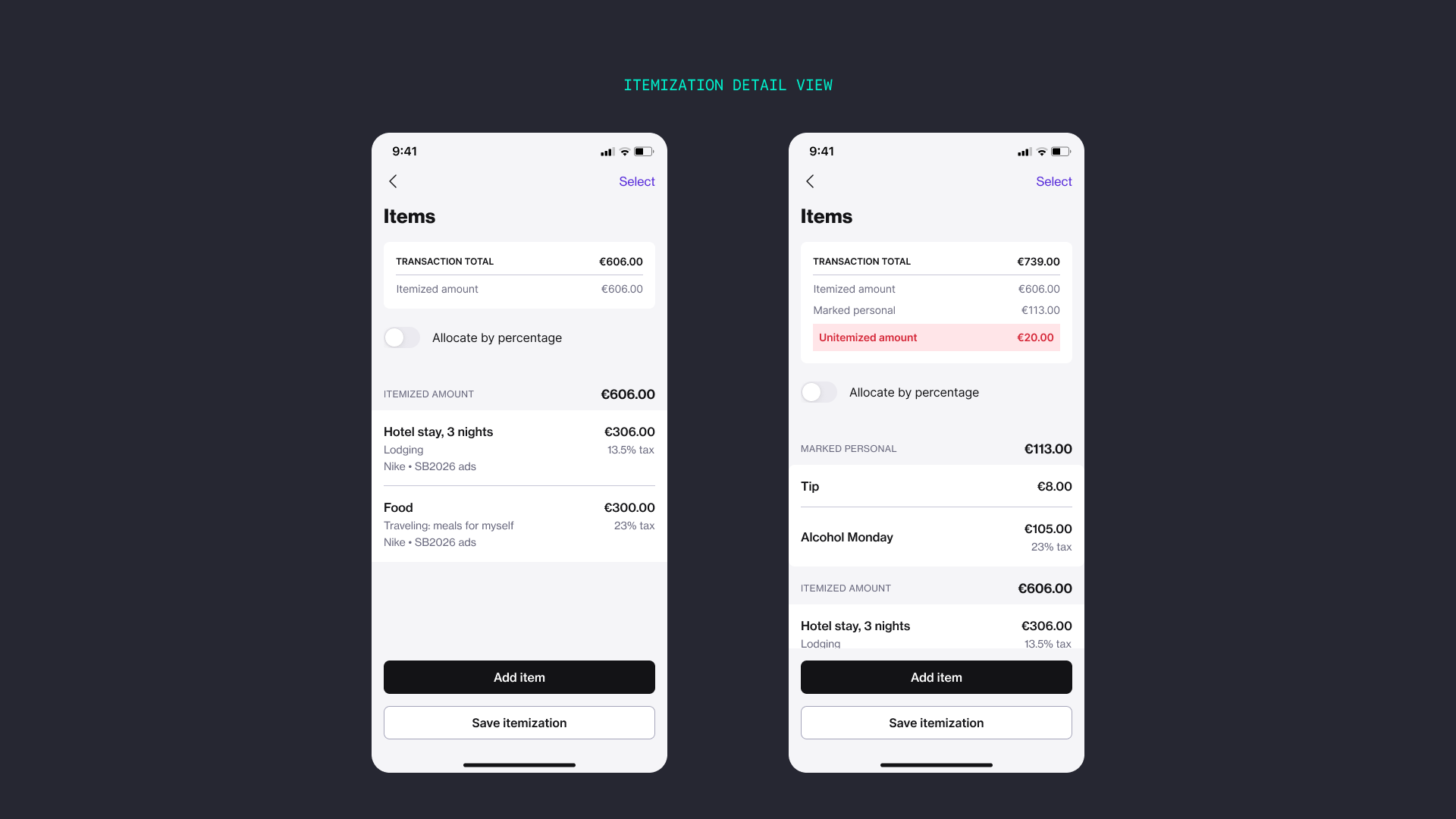
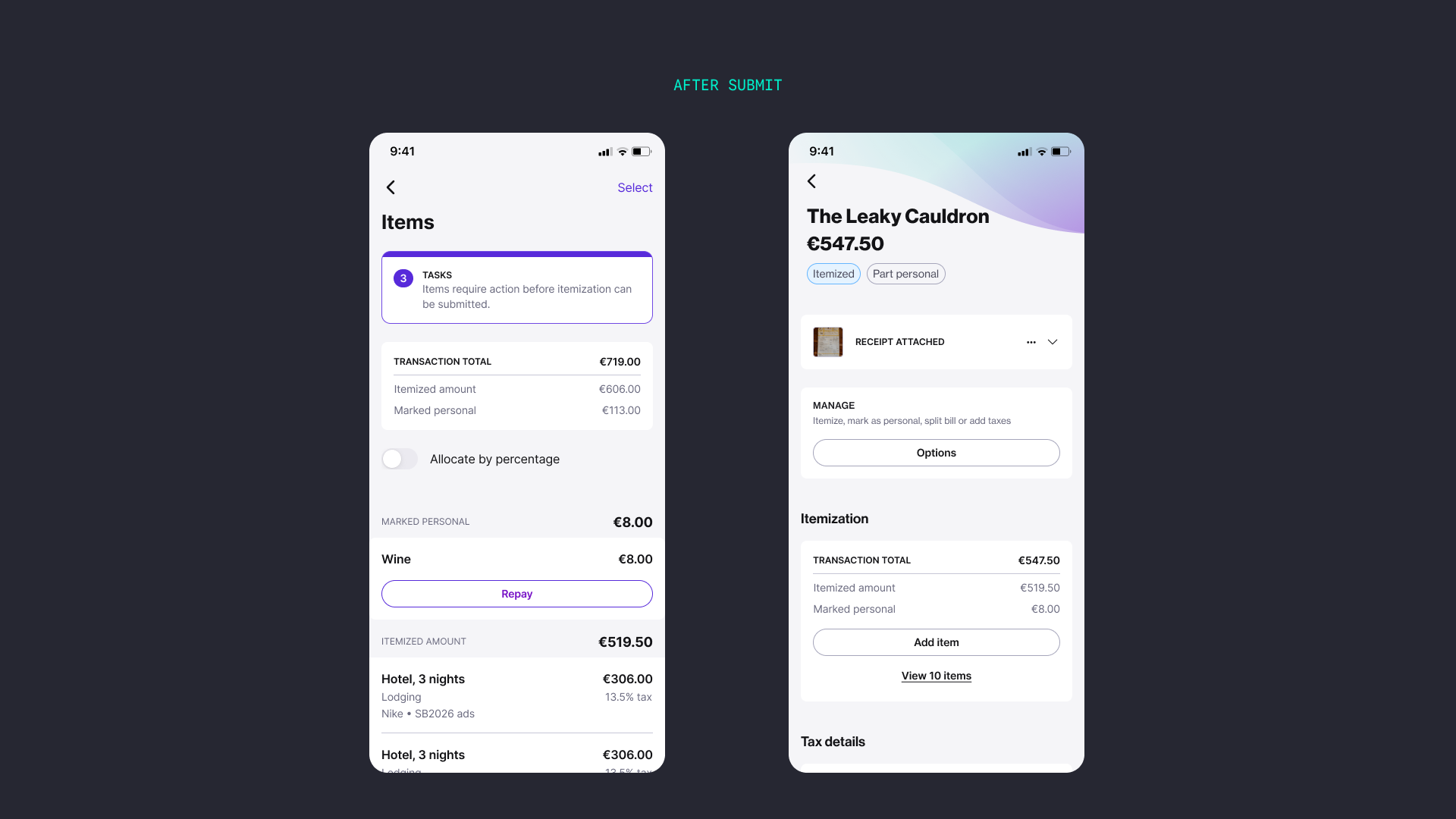
The agent flags issues for the employee to review before they submit, so most problems never even reach an admin. When something is still unresolved the interface says exactly what: an unitemized amount is called out in red, and a task states what has to be fixed before the itemization can be submitted.
Decision 3
Make the relationship obvious
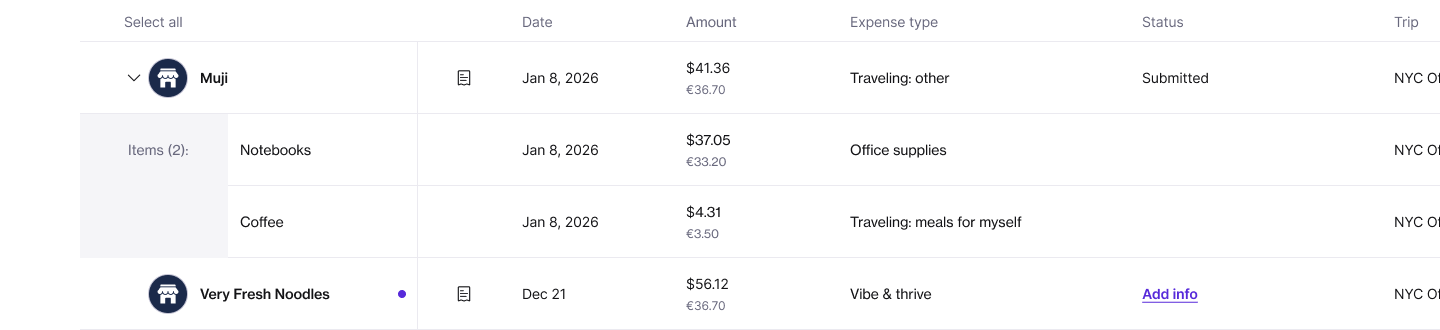
Admins and accountants live in the list view. Items nest under their parent transaction there, so the whole split reads at a glance without opening each expense.
Leadership
Getting it built
The hardest part was not the design. Getting an AI engineer’s time was a battle, especially for taxes, which was the trickiest part of the agent. After a lot of back and forth I proposed spreading the work across the company: people manually itemized real transactions and submitted them, which fed the agent, improved its accuracy, and saved engineering time.
On the design side I paired a staff designer on my team, strong visually and growing her product thinking, with a principal designer from another org, a systems thinker who wanted more visual craft. We ran design office hours three times a week. When we were going to miss the ship date, my designer demoed the work to our CEO and several clients so they would not churn. She was later promoted.
Results
What changed
39%
fewer flags on itemized transactions at month-end
12%
fewer ERP edits after submission
19%
more transactions itemized
10 sec
time spent itemizing, down from over 14 minutes
Reflection
What I would do differently
I spent too much energy pushing for more engineers and more engineering time. The plan that finally moved things forward was a way to save time, not a request for more of it. I wish I had started brainstorming ways to save time from the first week.